
The good news about IPTV devices is that you probably own one already. The less obvious news is that the device shapes your experience more than the subscription does: how fast the menus react, how stable the Wi-Fi is, which apps you can install. This page compares the six common options without pretending that one is right for everyone.
Devices
The six kinds of IPTV devices
Smart TV
Samsung, LG and other recent televisions with an app store.
Fire TV Stick
The small stick that turns any television into a smart one.
Android TV and Google TV
Televisions and players that run Google's TV system.
IPTV box
Formuler and other dedicated boxes with a network port.
Phone and tablet
Android and iOS, at home or on the move.
Computer
Windows and Mac, in an app or a media player.
IPTV devices at a glance
| Device | Good at | Watch out for |
|---|---|---|
| Smart TV | No extra hardware, one remote | Fewer apps, slower on older sets |
| Fire TV Stick | Low price, easy to move | Wi-Fi only unless you add an adapter |
| Android TV / Google TV | Widest choice of apps | Cheap no-name boxes can be slow |
| IPTV box | Network port, built for television | Costs more than a stick |
| Phone and tablet | Watching anywhere | Small screen, battery |
| Computer | Quick tests, second screen | No remote control |
Smart TV
A recent Samsung or LG television can run a player app from its own store. That keeps things tidy: one device, one remote. The limits are in the software. Samsung uses Tizen and LG uses webOS, and neither offers every player that exists on Android. Sets that are more than five or six years old may also feel slow in a large TV guide. If your television struggles, a streaming stick in the HDMI port gives it a second life.
Fire TV Stick
For many homes this is the sweet spot. It is small, affordable and fast enough for HD and 4K, depending on the model. It moves easily between rooms or into a suitcase. Its weak point is the network: it relies on Wi-Fi and sits behind the television, where reception is poorest. The HDMI extension cable in the box helps, and an Ethernet adapter helps more.
Android TV and Google TV
Televisions from Sony, Philips and TCL, the Chromecast with Google TV and players such as the Nvidia Shield all run Google's television system. They have the Google Play Store, which means the widest choice of players, TiviMate included. Performance varies a lot with the hardware: a brand-name player is a pleasure, an anonymous box from a marketplace often is not.
IPTV box
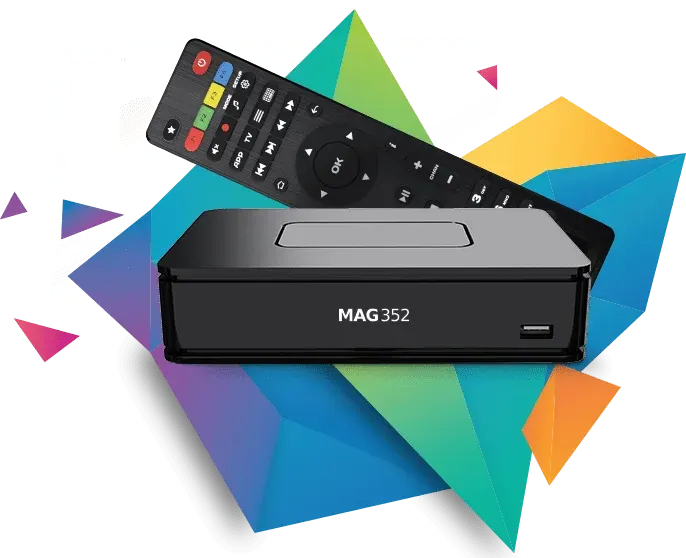
Dedicated boxes such as those from Formuler are built around live television. They come with their own player, a remote designed for zapping and, importantly, a network port. If television is the main use and you want it to feel like a classic decoder, this is the category to look at.
Phone and tablet
Android and iOS both have good players. A tablet in the kitchen or a phone on the train is a perfect second screen. Mobile data works too, but video uses several gigabytes per hour in HD, so keep an eye on your allowance.
Computer
On Windows and Mac you can use a full player or simply open your M3U link in VLC media player. A laptop is ideal for the free trial, because you can test without installing anything on the television first.
How to choose between IPTV devices
- You have a recent Smart TV and watch now and then: use the television's own app.
- Your television is older or slow: add a Fire TV Stick or a Google TV player.
- You watch every day and care about the TV guide: an Android TV player or an IPTV box, connected by cable.
- You watch sport in 4K: a device with a network port, whatever the brand.
- You travel: a stick in your bag and the app on your phone.
Internet speed
The network matters as much as the device
The fastest player in the world cannot fix a weak signal. Before you blame a device, check how it is connected. A network cable is best. If that is not possible, use the 5 GHz band and keep the modem out of closed cupboards.
HD / Full HDabout 10 Mbps
4K Ultra HDabout 25 Mbps
A network cable or 5 GHz Wi-Fi gives the steadiest picture.
Do older IPTV devices still work?
Often they do, with limits. A television or box from several years ago may play HD without trouble and struggle with 4K or with a large TV guide. Signs that IPTV devices are reaching their limit are slow menus, an app that closes by itself and a store that no longer offers updates. You do not have to replace the television in that case. A current streaming stick in a free HDMI port takes over the work, and the screen simply shows the picture.
Sound, remote and other details
Small things decide whether you enjoy a device every day. A remote with real channel buttons makes zapping pleasant. A soundbar connected by HDMI gives clearer voices than the television speakers. And among all IPTV devices, those that wake from standby in a second are the ones families keep using.
One login on all your devices
You do not need a separate subscription per device. Install the app wherever you like and sign in with the same details. The service plays on one screen at a time. How to install on each type is in the setup guide; which app to choose is on the IPTV apps page.
Not sure your device is suitable?
Send us the brand and model on WhatsApp. We tell you which app runs on it, or whether a small stick would be the better choice. You can also just try: the free trial shows within minutes how your device copes.
Questions
Questions about devices
Which IPTV devices do you recommend?
For most homes a Fire TV Stick or a Google TV player. For daily viewing and 4K sport, a device with a network port such as an Android TV player or an IPTV box.
Does IPTV work on every Smart TV?
On most recent Samsung and LG televisions, yes. Very old sets or televisions without an app store need a streaming stick.
Do I have to buy a special box?
No. A box is optional. Many customers use the television app or a stick they already own.
Can I use an iPhone or iPad?
Yes. Several players are available in the App Store, and the same login works there.
Is a cable really better than Wi-Fi?
Yes. A cable gives a constant connection. Wi-Fi works well too, especially on 5 GHz and close to the modem.
Can I watch on two televisions?
You can install the app on both. The service plays on one screen at a time.